List of Most Useful Google Search Prefixes or Operators
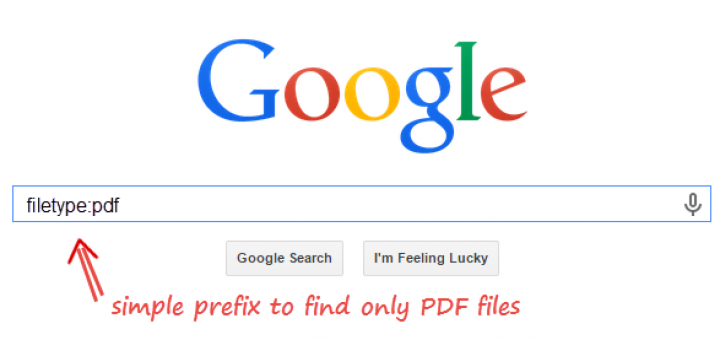
Most of us already know a handful of prefixes that can be used in Google for specific purposes like link:, related: or site:. However, there are much more prefixes whose utility can vary from general users to webmasters. Let’s see some of the most useful and valuable prefixes that are blessing in disguise.

| Search prefix | Function |
|---|---|
| define:word | Shows dictionary meaning of the word from various sources. Easiest to use, most useful of all. Interchangeable with meaning or definition. |
| link:www.site.com | Shows other pages that link to that URL. |
| related:www.site.com | Find sites that Google considers related. |
| site:www.site.com | Restrict search results to the specified site. |
| allinurl: | Shows only pages with all terms in the URL. |
| inurl: | like allinurl, but only for the next query word. |
| allintitle: | Shows only results with terms in the title. |
| intitle: | Same as allintitle, but only for the next word. |
| intitle:search google | Finds only pages with search in the title, and google anywhere on the page. |
| cache:URL | Gives you Google’s stored version of the webpage. Useful if the site is down. |
| info: | URL will give you a description of a given site. This is the same as typing url in the search box. |
| spell: | Does a spellcheck on your query? you don’t have to do this, google will automatically spellcheck any words searched. |
| stocks: | Does a search for stock quotes of a company. For example stocks:GOOG . |
| filetype: | Does a search for a specific file type. For example filetype:docx will search for Microsoft Word files along with a search query. |
| daterange: | It supports Julian’s date format only. 2457250 is an example of a Julian date for 15 August 2015. Use this calculator to convert. |
| maps: | Shortcut to do google maps search. |
| phone: | Searches for anything that looks like a phone number. |
| allinlinks: | Searches only within links, not text or titles. |
| allintext: | Searches only within the text of pages, but not in the links or page title. |
| allinanchor:keyword | List results ordered by a number of anchor texts as keywords. |
| nutrition: or calorie: | Shows health facts with nutrition amount and calorie count. |
Note: Google keeps on adding new search prefixes and removes the ones which are not relevant anymore. With the new knowledge graph, Google has started showing informational cards like word origins and lyrics at the top and left side of search listings. We will update the article whenever we come to know of any new operators.
My Favorite one is define prefix which instantly gives meaning to any word. And since Google has abandoned its dictionary service, this becomes quite handy. Tell us in your comments which one of them is your favorite.
Related: Gmail Search Operators
Was this post helpful?
Let us know if you liked the post. That’s the only way we can improve.







I had read about all other operators just except phone: and spell: – of course, spell is not at all useful as google itself suggest the right one.
Stumbled :)
Thanks for the tips!
Another great Google trick. Define: Will search for meanings of a word, acronym, phrase, etc
Yet another one… Weather in {name of town/city} will give you current temp. and 4 day forecast
dead chat