Youtube for HTML5 Videos
Now since every modern browser is supporting HTML5, YouTube has started to deliver experimental videos with HTML5 player. Speciality of HTML5 player is that you won’t need any adobe flash player plugin to view these videos. Let us look at some of pros and cons of HTML5 Videos:
Pros with HTML5 videos:
- The biggest advantage is that you don’t need to install adobe flash player or Microsoft Silverlight plugin. That means faster and light-weighted browser with less crashes.
- Videos will act like animated images. That means you can style them just like images.
- Videos loads quickly than traditional flash videos.
- Watch videos with h.264 encoding
Pros with HTML5 videos:
- Not every browser is supported. Only Chrome, Safari and Internet Explorer with Chrome Frame supports this latest format.
- It doesn’t work with videos that have advertising, captions, or annotations.
Great news is that Firefox 3.6 is launched today with major updates. Unfortunately, Firefox 3.6 doesn’t currently work with the experimental HTML5 video player.
You can start viewing HTML5 videos by joining this experiment. If you have already joined any other testtube experiments, you may not get the HTML5 player, though it works perfectly with light-weight Feather.
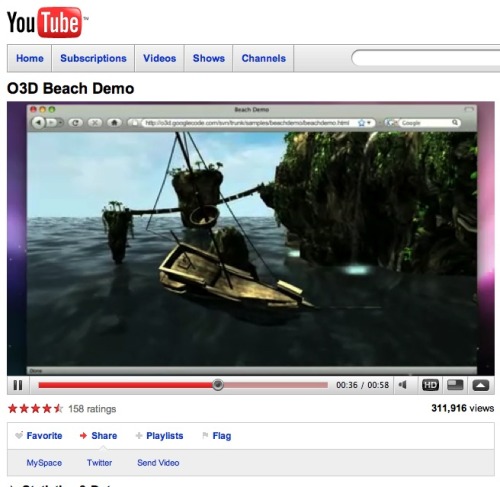
HTML5 is disabled by default in Youtube. However, if you have accidently turned it ON, then you can disable it by going to Youtube.com/html5 page. Here, you need to leave the experiment, which will then instruct youtube to show only flash based videos and not the HTML5 ones.










What a blatant lie! How can you possibly say “every modern browser is supporting HTML5” with a straight face when you know that FireFox doesn’t support it and IE only supports it with a Chrome extension?!?!?
Don’t get me wrong… It sounds great. And most people using Macs are covered (via Safari). But most PC users are going to have to switch to Chrome to use it (I’m sorry, but IE is not a valid choice for the PC platform — at least not from a security standpoint). And personally, I don’t like the UI of Chrome. It is fast and lightweight, that’s cool. But the default layout is ugly in my opinion. Although I *am* glad they released a Linux version, that’s awesome.
firerfox supports html5 and videos, it ust doesn’t support youtube format cause it isn’t open so it goes against ff ideals.
Exactly Meq.
Firefox won’t use proprietary formats.
Ralph, Firefox has been supporting HTML5 since version 3.5.
You can have a look at FF specifications here. It supports HTML5 and even
And I completely agree on IE standpoint.
let me tell you something.. why FF didn’t support HTML5?
because FireFox only interested in Open Format such as .ogg format.. H.264 is a closed format and the conclusion is, firefox will not be under the same roof with youtube HTML5
Yes, thats the reason.