How to Get Old Google Layout Back
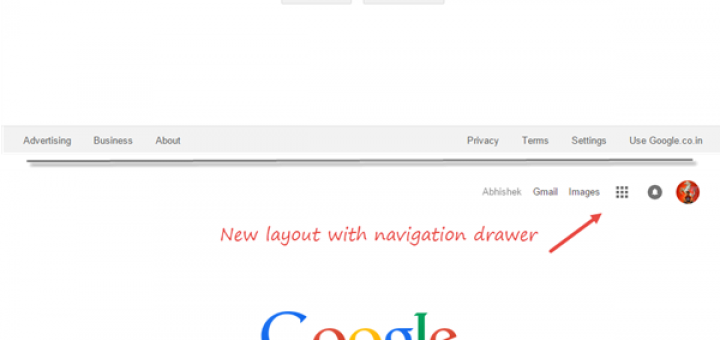
Update: We have revised the article based on recent Google changes.
If you feel Google’s new interface is awful, you can get old plain layout back from https://www.google.com/webhp?complete=0.
Google has rolled out new layout to all the users around the globe, but for most of them it’s difficult to adjust to new interface.
Though the new layout is much cleaner and gives you option to re-arrange the products in the menu, the older layout is much classier and easy to use with single click access to other products.
With the older layout, you get back the black bar at top which lists most used services: Image search, Gmail, News and Maps. You also get a direct share box for Google+ which is absent in the new interface.

Old layout vs New Layout
Google’s Old Layout: https://www.google.com/webhp?complete=0
We recommend you to bookmark this link or to make it another search engine in Chrome.
To show old Google layout on searching from omnibox: Right click on omnibox (address bar) and select edit search engines. Now add a new search engine with following options:
Name: Old Google
Keyword: Old
And URL: https://www.google.com/webhp?complete=0&hl=all#hl=all&q=%s
And you are done. Now on, when you search from omnibar, you will get those results in old designed Google.
And don;t worry, you will still get the new doodles on these pages. However, we are not sure how long this URL will get you old layout. Til then, use it for your convenience.
Related: Remove Google Fade-in Effect.







Knowing Google since a long time, I have a hunch that they will probably let the old interface intact and won’t take it down.
On the other hand, they are “THE Google” and they can and will do anything they wish. So better to keep our fingers crossed and use the old interface until we can!
The “hl=all” fix really sucks for ppl (like me) that use IE. Particularly the missing ‘search suggestion’
function and also inability to change SafeSearch setting among other things. I just don’t want Google to think of “hl=all” as an acceptable alternative and not restore a classic Google with full functionality.
Not working anymore http://www.google.com/webhp?hl=all
Please, provide another solution. I hate the new interface.
Heyo, you can try this chrome extension or this Firefox addon.
http://www.ipetitions.com/petition/googlenewinterface/
This is a petition to change google back to what it used to be.
Thanks Raven for notifying.
Well there’s this script: http://userstyles.org/styles/30243
Can work with either Stylish or Greasemonkey (possibly Chrome too?), and reverts most of the interface to how it used to look like (slightly different in some areas). It was made and tested in conjunction with adblockplus, so I don’t know if it will work properly without it.
i take it we all forgot about pacman awhile back or the other numerous spoof sites lol
http://www.google.com/pacman/
http://www.googleslim.com/
http://lmgtfy.com/
http://googleclassic.net/
use aol search its got exacly the same layout as the old google but it says aol.it is powered by google.http://search.aol.com/aol/webhome?v_t=opensearch
In recent days the Google search bar on my Mozilla Firefox browser screen has ceased to deliver me the search options of ‘all pages’ or ‘pages from Australia’ when I click it.
I am running Ubuntu Linux 8.4 and have deliberately chosen to make no upgrades to my OS or browser. I did not ask for this change to the look of the Google search page, and I don’t wish to have to negotiate a learning curve to either customize the new version or restore the old version. Why could not this change have been one to be made at MY option?
Google has succeeded in degrading the immediate usefulness to me of its search engine. Google has shown that it does not value my time or priorities as a user, priorities which at this point do not include learning a new interface.
Not happy, Jan! (And to search for the significance of that expression you would probably get the quickest result from a search of ‘pages from Australia’, which undoubtedly you know how to do, but I now don’t.)
Google Chrome WAS wonderful just the way it was, have used it for years throughout my many computers but you’ve ?modernized? (higher-ups must be so lazy they want everything on one web page!)
GO BACK TO GOOGLE CHROME just as it was! PLEASE
Developers have a habbit of changing things around too much. If they left it alone they will have no job and you would not be on this page reading this post. Facebook is worse for changing things around.
Did Google just change its search result into being even less compact on a computer screen? I may be imagining this, but opening my Chrome web browser this morning and searching for something, I thought the result resembled more to the search result on a phone, having to scroll quite a bit to get to the actual results.
Are there more more icons and more vertical space between the records in the search result as of today?